
Sound
Know the path. Enjoy the music.
Choose the destination first. Then read what the app processes, what the system reports, and where the evidence ends.
Four ways out
The same album can play on the phone in your hand, a USB DAC on your desk, a network player in the listening room, or a renderer elsewhere in the house. Each route has different abilities.
| Route | How it’s found | PCM | DSD | iPhone · iPad | Mac |
|---|---|---|---|---|---|
| This device | The system’s current output (speaker, headphones, AirPlay, wired) | The recording’s rate is requested; the system decides the final rate. No GPH filters. | — | Yes | Yes (development) |
| USB Output | iPhone/iPad: the connected USB audio route. Mac: pick the DAC in the app. | Original 16/24-bit; Processed up to 705.6 / 768 kHz at 16, 20 or 24-bit | iPhone/iPad: none. Mac: DoP DSD256; Native DSD512 on the Audalytic DR70 only | PCM only | PCM, DoP DSD256, Native DSD512 (development) |
| Playhouse Connect™ | Network probe for NAA receivers, or add one by address | Original 44.1–384 kHz, up to 24-bit; Processed up to 705.6 / 768 kHz | Native DSD256 (no DoP, no DSD512) | Yes | Yes (development) |
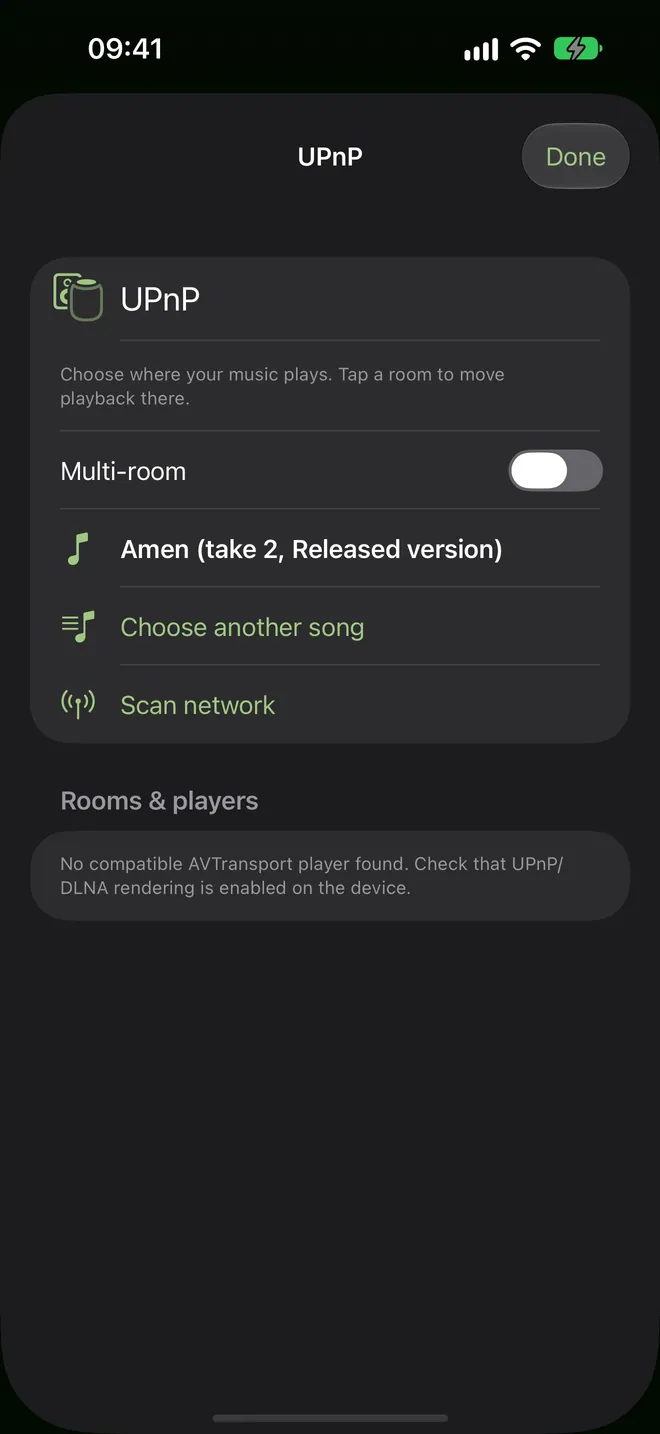
| UPnP / DLNA | Found and controlled by the Playhouse server | Original, or AAC 256 kbps | — | Owner account only | Owner account only |
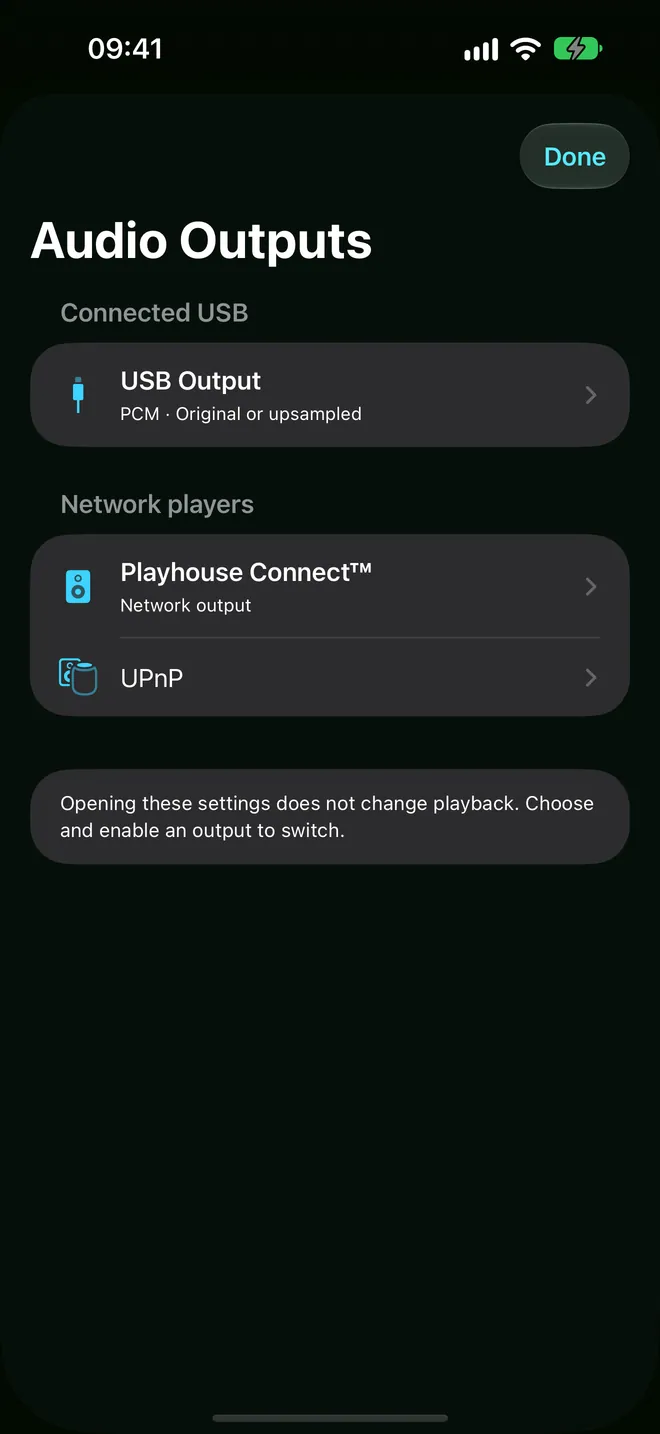
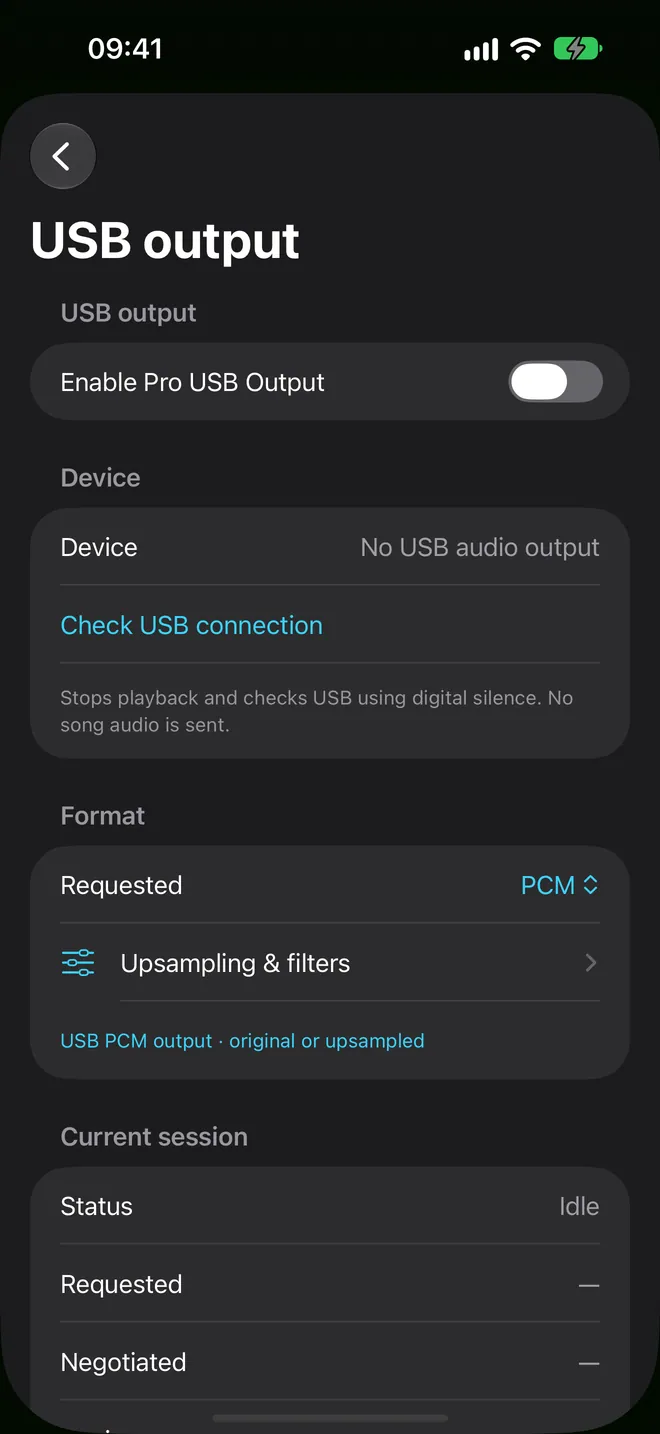
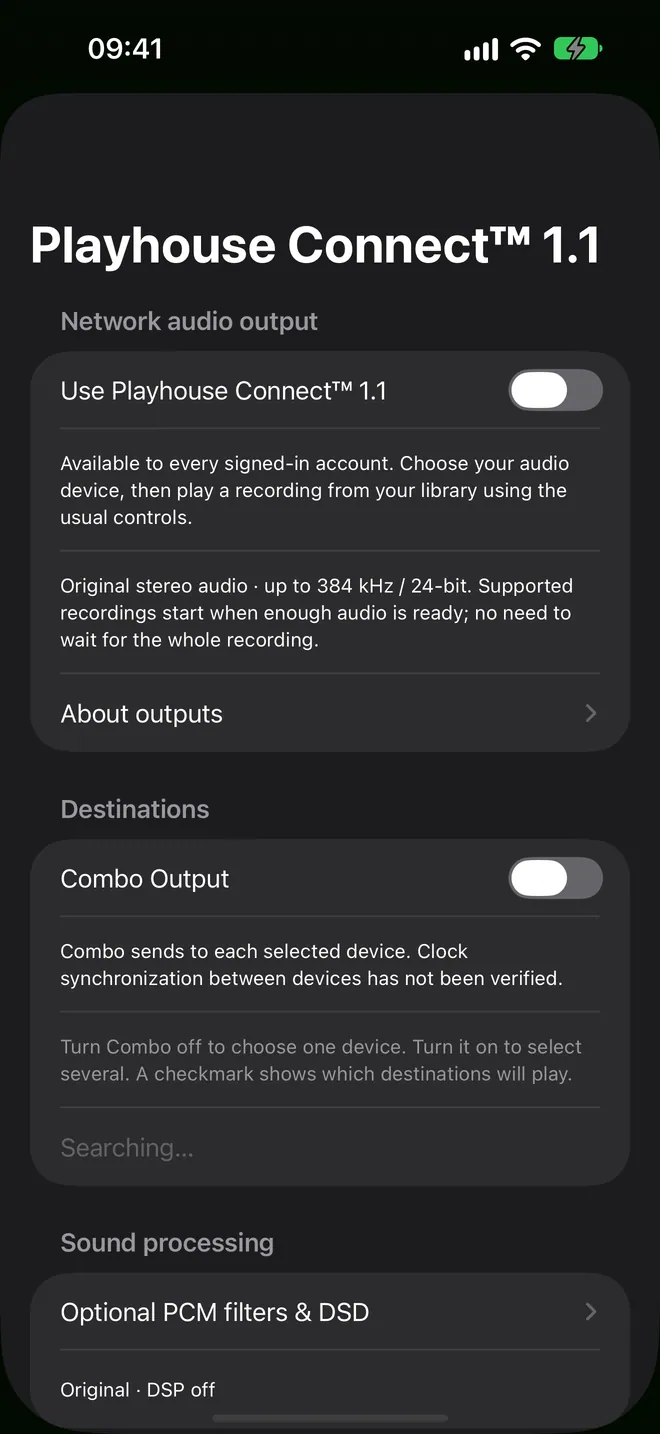
USB Output — from the app to your DAC
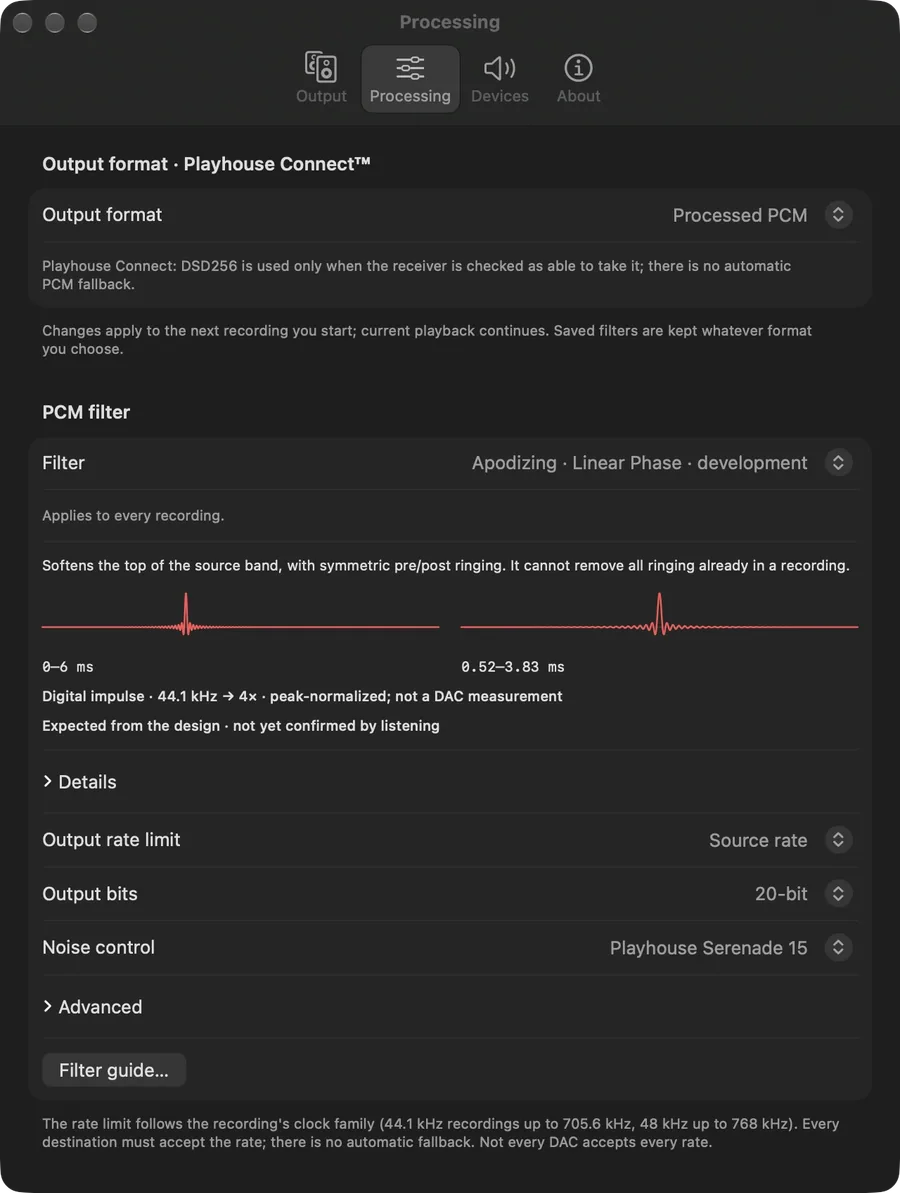
On iPhone and iPad, turn on Pro USB Output in Outputs. Original sends the recording’s own samples; Processed PCM upsamples with one filter, staying inside the recording’s 44.1 or 48 kHz family (up to 705.6 or 768 kHz when your device and DAC accept it). USB DSD is not available on iPhone or iPad.
On Mac, choose the DAC inside USB Output, with optional exclusive and integer mode. DSD256 goes out as DoP. Native DSD512 is Mac-only: it works with the reviewed Audalytic DR70, needs a small sender helper that you approve with an administrator password, and has passed a short owner check on 44.1 kHz-family music. It is not a promise for every USB DAC.
The rate the system reports is not a capture of the USB bits or your DAC’s internal filter, and the app never forces system volume.
Playhouse Connect™ — your network player, your listening room
Playhouse Connect sends music from the app straight to a network audio receiver. It speaks NAA — the Network Audio Adapter protocol from Signalyst — so it works with receivers that run a compatible NAA daemon, such as the two Audalytic DR70 units (DR70Silver and DR70Black, NAA 5.1.5) it has been tested with. Older NAA 3.x receivers are listed as unsupported.
Finding a receiver: the app sends a short discovery probe on your local network, and you can always add a receiver by address. On iPhone and iPad, automatic discovery depends on a network permission Apple has not yet granted, so for now use a saved receiver, add one by address, or let a Mac running the app point the way. Nearby Setup copies a receiver’s credentials from one of your devices to another with a six-digit code; credentials stay on your devices.
Original sends stereo PCM from 44.1 to 384 kHz at up to 24-bit. With processing on, PCM goes up to 705.6 / 768 kHz, or native DSD256 when the receiver reports it can take it — there is no DoP and no DSD512 over the network. Combo Output can feed several receivers, each on its own connection, without sample synchronisation between rooms.
What is NAA?
A Network Audio Adapter is a small receiver on your network that takes audio from a player and hands it to a DAC. Guide’s Playhouse is the player; the receiver does no decoding of its own. That is why the receiver and DAC must be on and reachable from your device’s network — the public music service being reachable over mobile data doesn’t make your home receiver reachable.
UPnP / DLNA — a familiar route to a renderer Owner account only
For the owner account, the Playhouse server can find UPnP/DLNA renderers on the home network and play to them, as Original or AAC 256 kbps. The server does the discovery and control, so this route has no GPH processing, no DSD and no meters, and the rate check stops at the server — it doesn’t verify the renderer’s DAC. Multi-room is possible without sample synchronisation. Other accounts don’t see this output.
Match the route to the network
The music service is reached over HTTPS from anywhere; you don’t need Tailscale or a VPN to listen. At home, on Wi-Fi or Ethernet, the app can take a shorter path straight to the Playhouse server. Network receivers and UPnP renderers live on your home network, so they need your device to be on it too.
Signal Path — quality, with its evidence attached
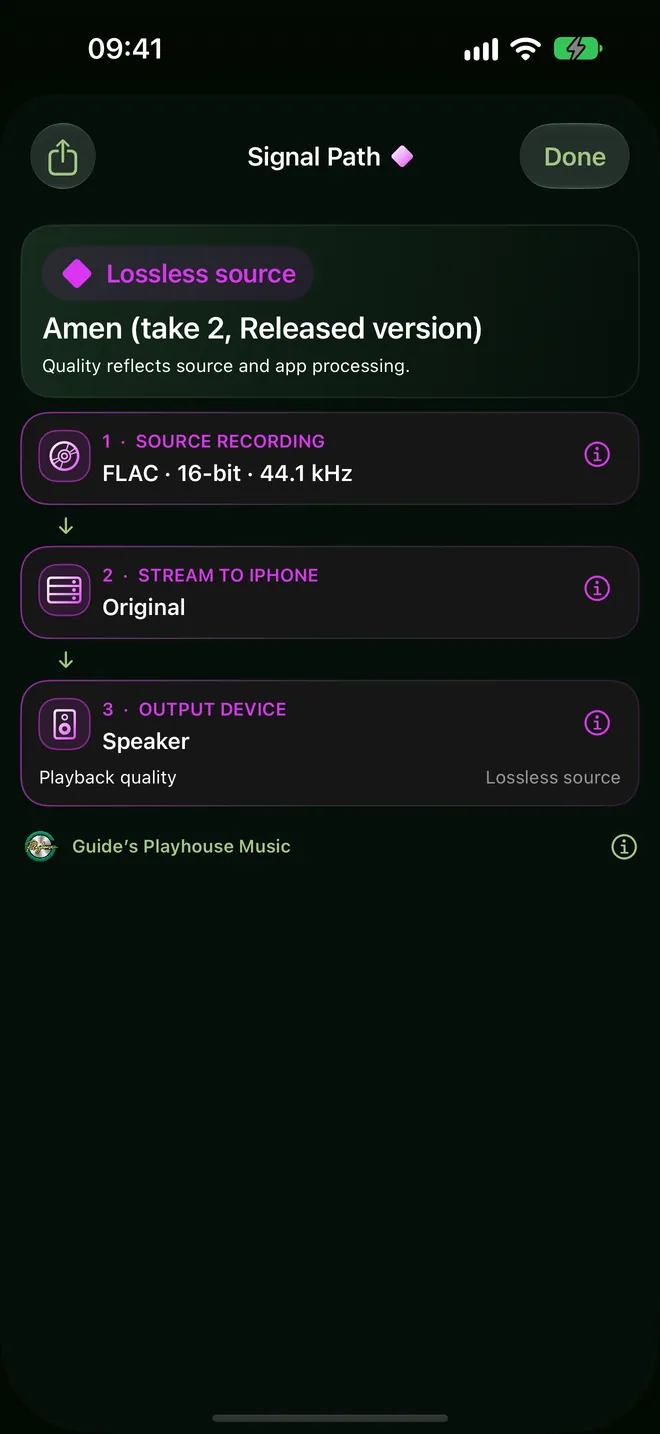
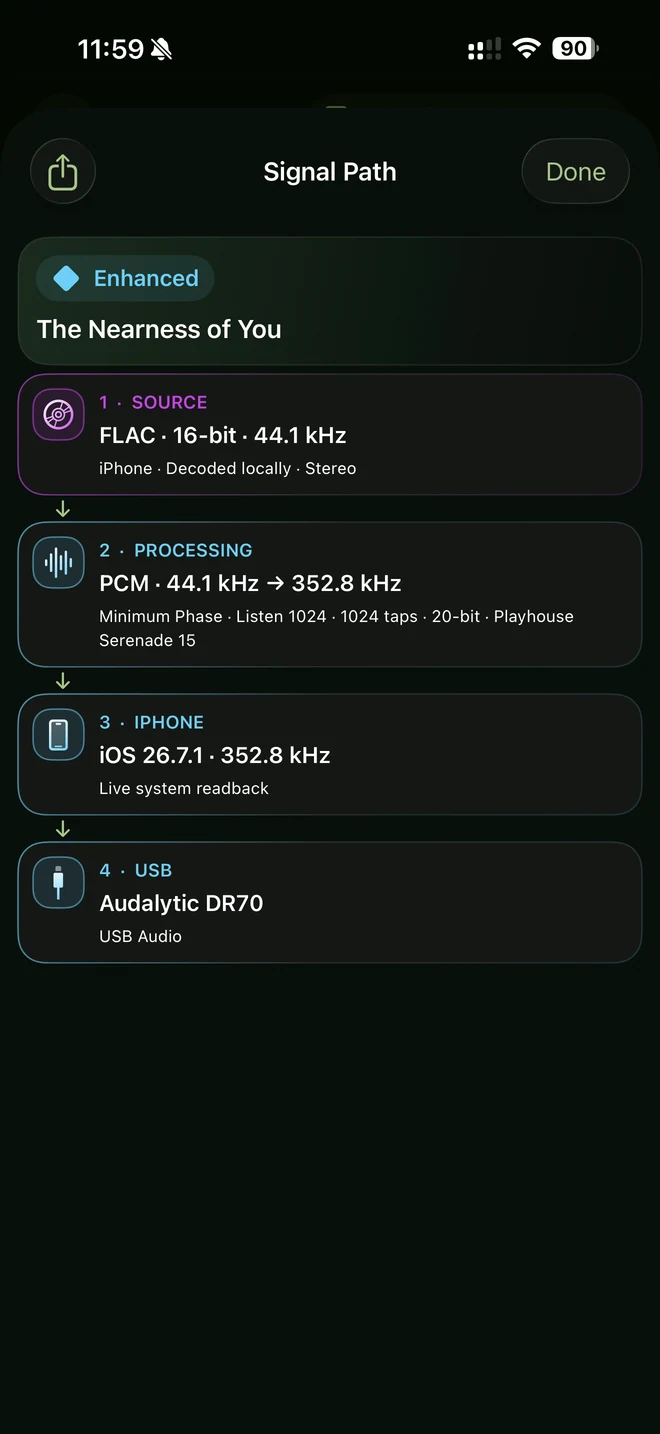
Signal Path lists each real stage between the recording and the output you chose: the source file, how it travels to your device, any processing, and the output device. It shows only stages that actually exist — no decorative boxes.
- Lossless · Original
Purple means the recording’s own samples reach this stage unchanged by the app: a lossless source, or Original mode. - Enhanced
Cyan means the signal was genuinely changed: a GPH filter or upsampling on USB or Playhouse Connect, or — on this device’s own output — the system converting the sample rate.
- A purple label describes the source and route. It does not certify your hardware as bit-perfect — never infer that from a label alone.
- The output stage shows what the system reports. It is not a measurement of your DAC.
- The purple/cyan scheme shown here is in the development build; the 1.1 app also marks Original in cyan.
Precision and data rates
When the app processes audio, it calculates in 64-bit floating point and delivers 16, 20 or 24 bits of content to the DAC. Those bits travel in a 32-bit word because that is how the route carries them; the 32-bit word is a container, not the resolution of your DAC or your recording. A 16-bit CD rip in Original mode stays 16-bit content.
How much audio is moving?
| Stereo PCM | Mbit/s | MB/s |
|---|---|---|
| 16-bit / 44.1 kHz | 1.4112 | 0.1764 |
| 24-bit / 96 kHz | 4.608 | 0.576 |
| 24-bit / 192 kHz | 9.216 | 1.152 |
| 24-bit / 352.8 kHz | 16.9344 | 2.1168 |
Uncompressed audio payload only, before network overhead. For comparison, 30 minutes of AAC at 256 kbps is about 57.6 MB. Hi-res needs sustained throughput, not just a fast speed test.
Watch the music, understand the limits
VU
Blue or warm analogue-style needles, or Studio bars: a smoothed sense of loudness over time, the way a VU meter on a console moves.
RTA
A real-time analyser: how energy is spread across frequency right now — bass, midrange, treble.
Limits
Meters read the app’s digital PCM signal, not your speakers. On Mac they work on local and USB PCM; DSD routes show “not available for DSD”, and there are no meters on Playhouse Connect on Mac. Source-first Original on this device has no live VU.
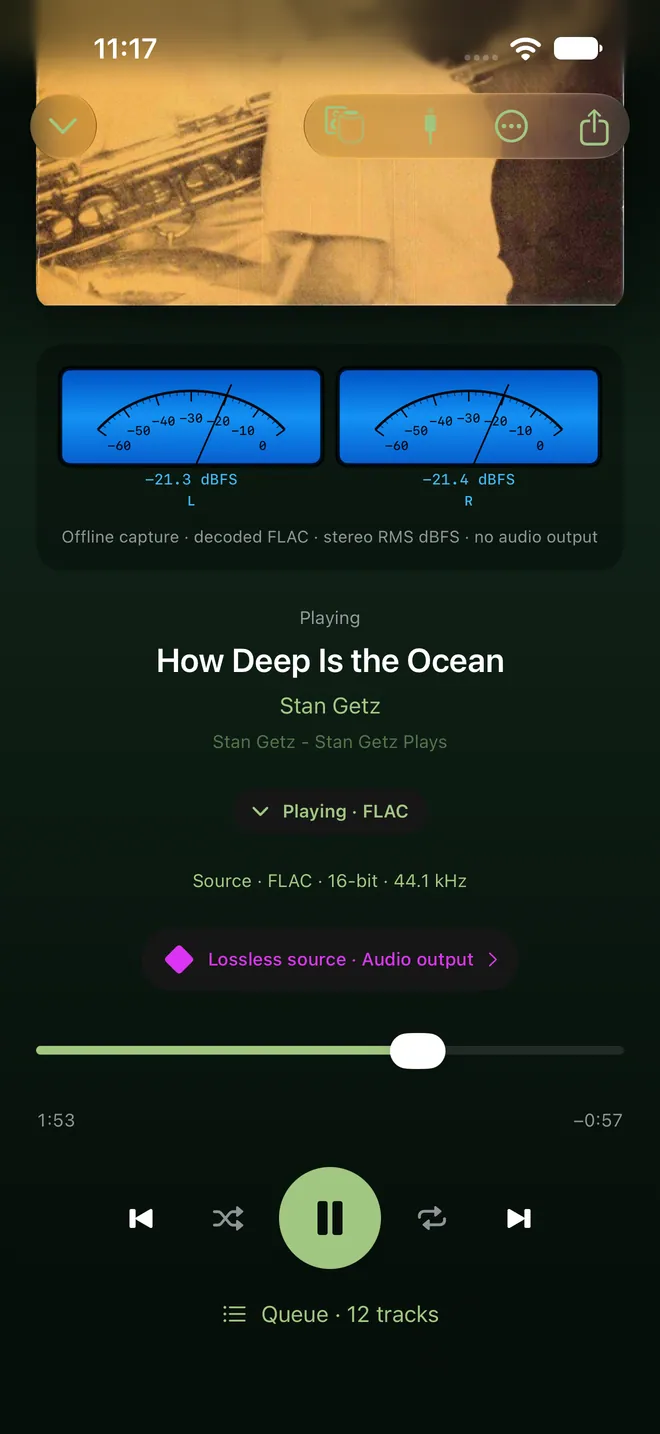
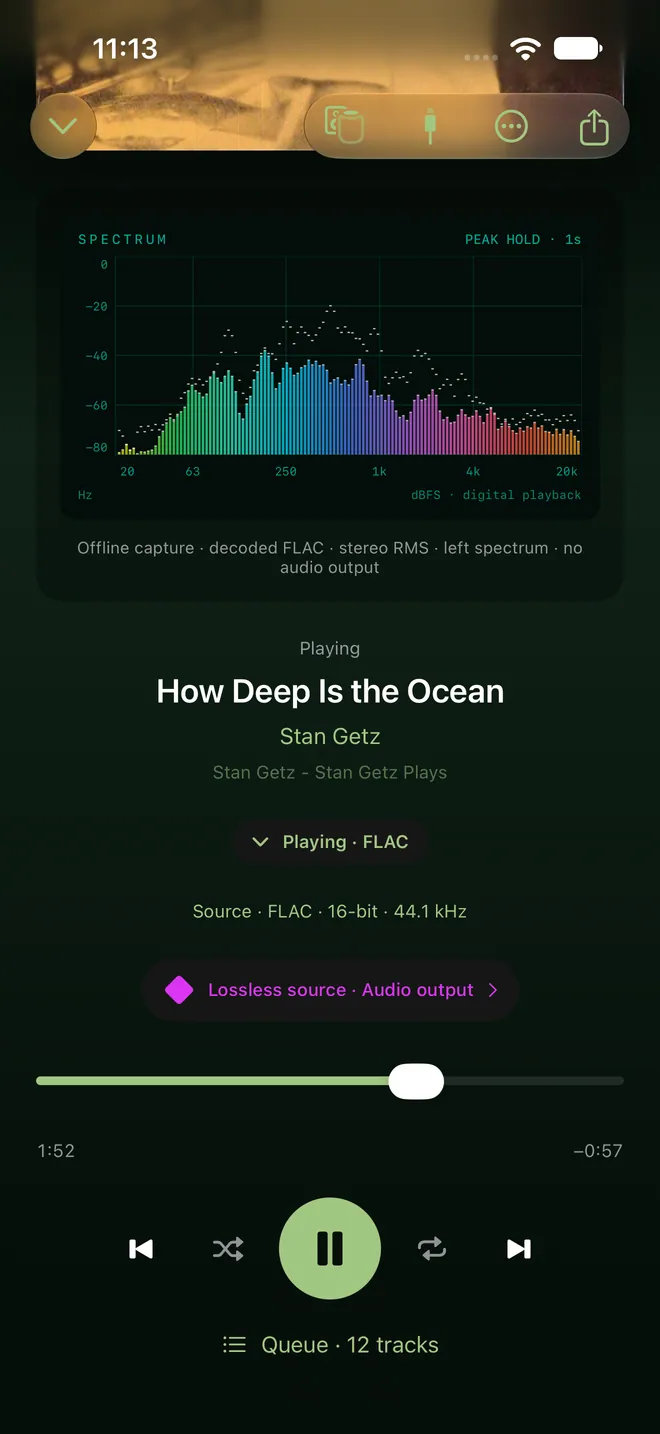
Real captures of the app’s VU and RTA reading Stan Getz, “How Deep Is the Ocean” (Stan Getz Plays). The track was decoded on a Mac and fed to the app’s own meter code in an iPhone Simulator (development build 53302) at real-time pace for about 50 seconds. Nothing was played aloud, so the timing is simulated rather than taken from a DAC; “Playing”, the progress bar and the generic “Audio output” label belong to that offline run. Readings are of the digital signal, not your speakers.
Spectrogram — see how the sound changes over time
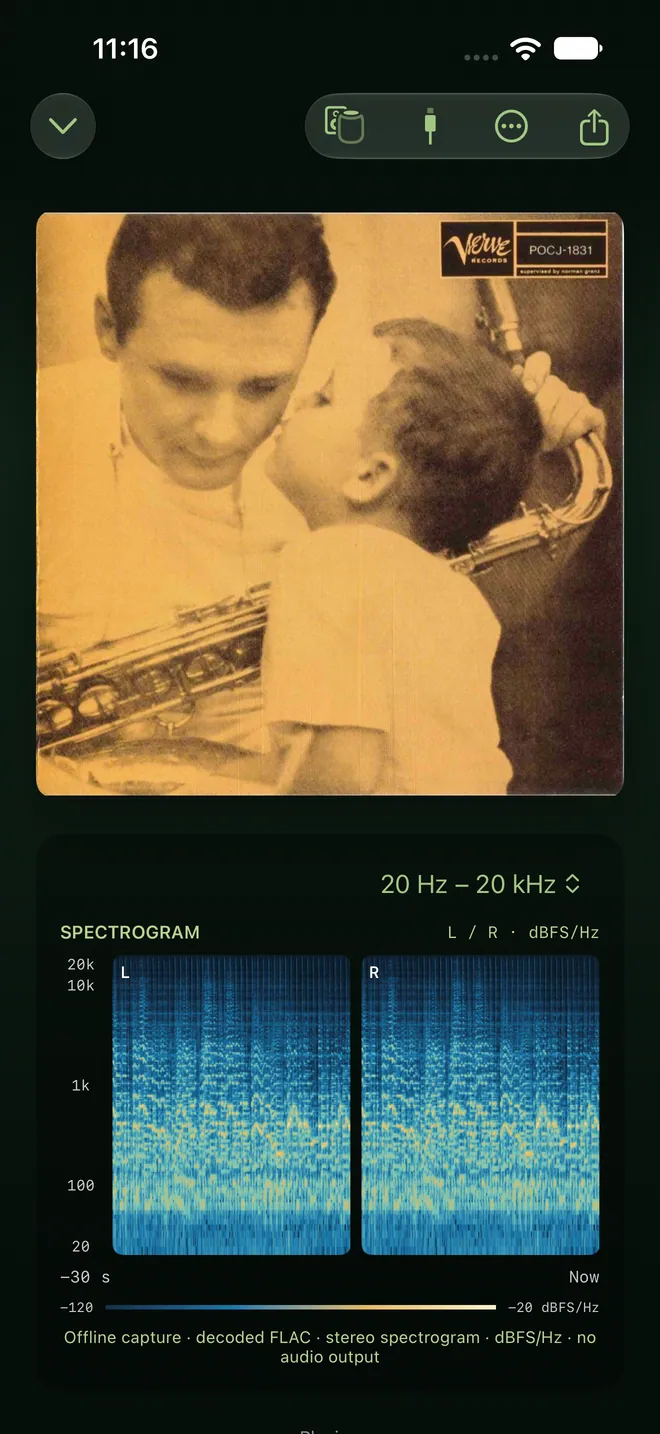
The Spectrogram draws the last 30 seconds of the music as a picture: time runs left to right, pitch runs bottom to top, and brightness shows how much energy is there. Left and right channels are shown separately. Choose a 20 Hz–20 kHz logarithmic view, which matches how we hear, or the full band on a linear scale.
It analyses the app’s digital PCM signal — on USB, the processed samples the app actually sends; on this device’s output, the audio after the app’s own effects. It is not a measurement of your DAC or speakers.
- Development build PCM Spectrogram: in development build 53302 on iPhone and Mac.
- Candidate · not installed DSD Spectrogram: a candidate that reconstructs the audible 20 Hz–20 kHz band from the final DSD bits for USB and Playhouse Connect. Built and tested offline; not installed or released.
Keep every verification scoped
What has been checked, on what, and what is still open. Development builds are owner trials, not public releases.
Checked
- USB PCM from iPad to the Audalytic DR70 kept playing through app switching and a three-minute screen lock (owner check).
- Playhouse Connect DSD256 from iPad to DR70Silver kept playing with the screen locked (owner check).
- Mac Native DSD512 to the DR70: clean playback of one song in the 44.1 kHz family (short owner check).
- Mac USB DoP DSD256: the DR70 showed DSD11.2 and sounded clean (owner check).
Still open
- DSD256 over the network can stutter on iPhone/iPad while another app is in the foreground.
- Native DSD512: 48 kHz-family music, background playback and long sessions not yet tested.
- A known PCM 705.6 kHz limitation on iOS USB is accepted for now, not fixed.
- Automatic receiver discovery on iPhone/iPad waits for Apple’s network permission.
- None of the filters has been confirmed by listening.
Context without invented certainty
Album information comes from a search by artist and album title — not a licensed metadata feed — so the app shows what it found and leaves gaps rather than guessing. Genres and moods are suggestions, not verified tags.