
Collection
Your collection, beautifully within reach.
Everything starts with the record: who played, how it was recorded, and where your copy came from. Find it, play it, share it — on the device in your hand.
One library, filtered to you
Albums first
Browse covers as a grid; filter by source — CD Rip Guide or SOtM Rip — and sort. Album pages keep tracklist, credits and format together.
Format labels describe the recording
FLAC 16-bit / 44.1 kHz tells you about the file. AccurateRip match counts describe how well the CD was ripped — not your DAC.
Album information
Album info is searched with artist and album title, not folder names, so a lookup can miss — the app shows what it found rather than guessing.
What you can see
Your host decides which albums your account can open. If an album is missing, it may simply not be shared with you.
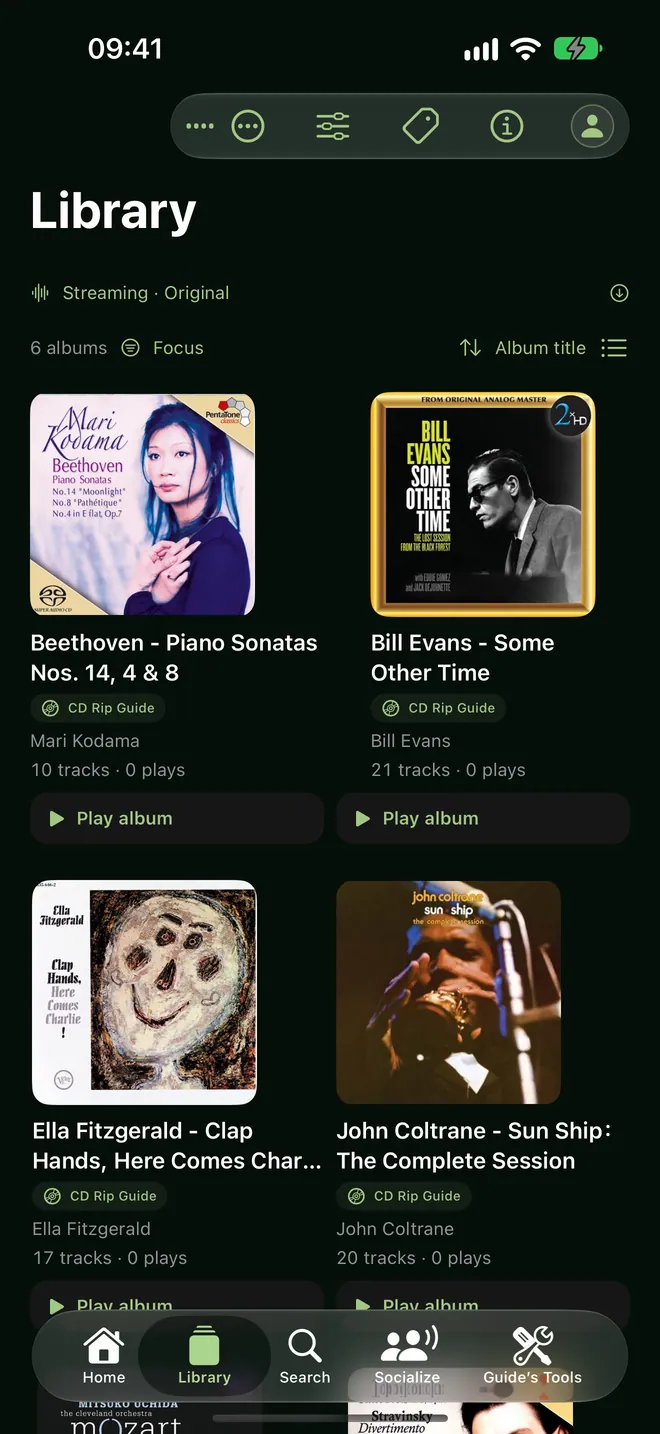
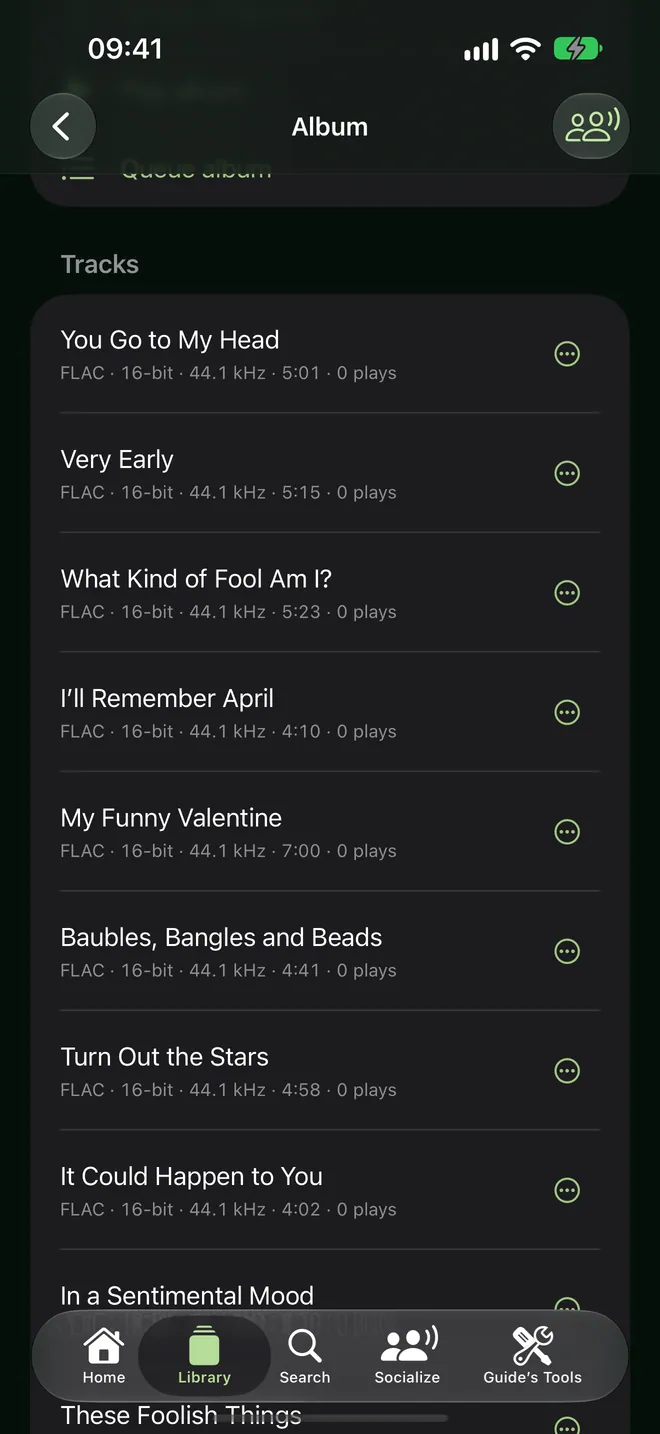
Turn the screen. Enter the records.
Rotate Album Browse to landscape on iPhone and the library becomes a row of covers. Swipe until the one you want sits in the centre, then View album. Cover Flow follows your current filter and sort; unlock rotation if it doesn’t appear.
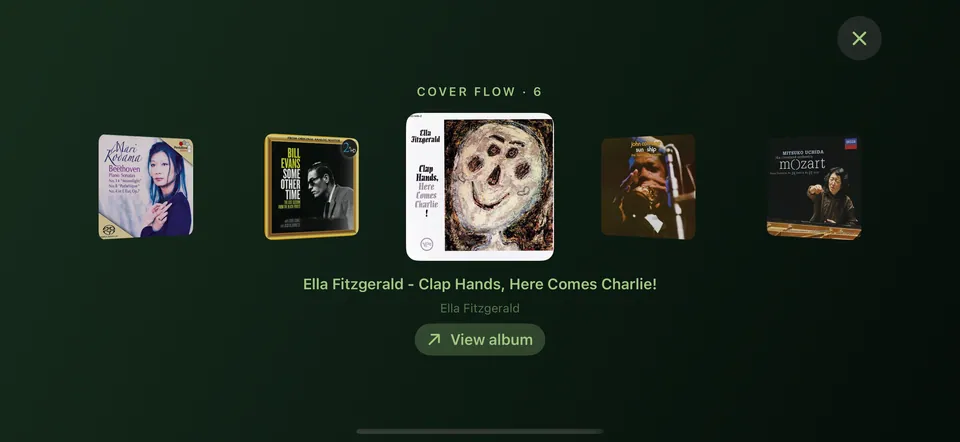
The record at the centre
Play, queue and resume
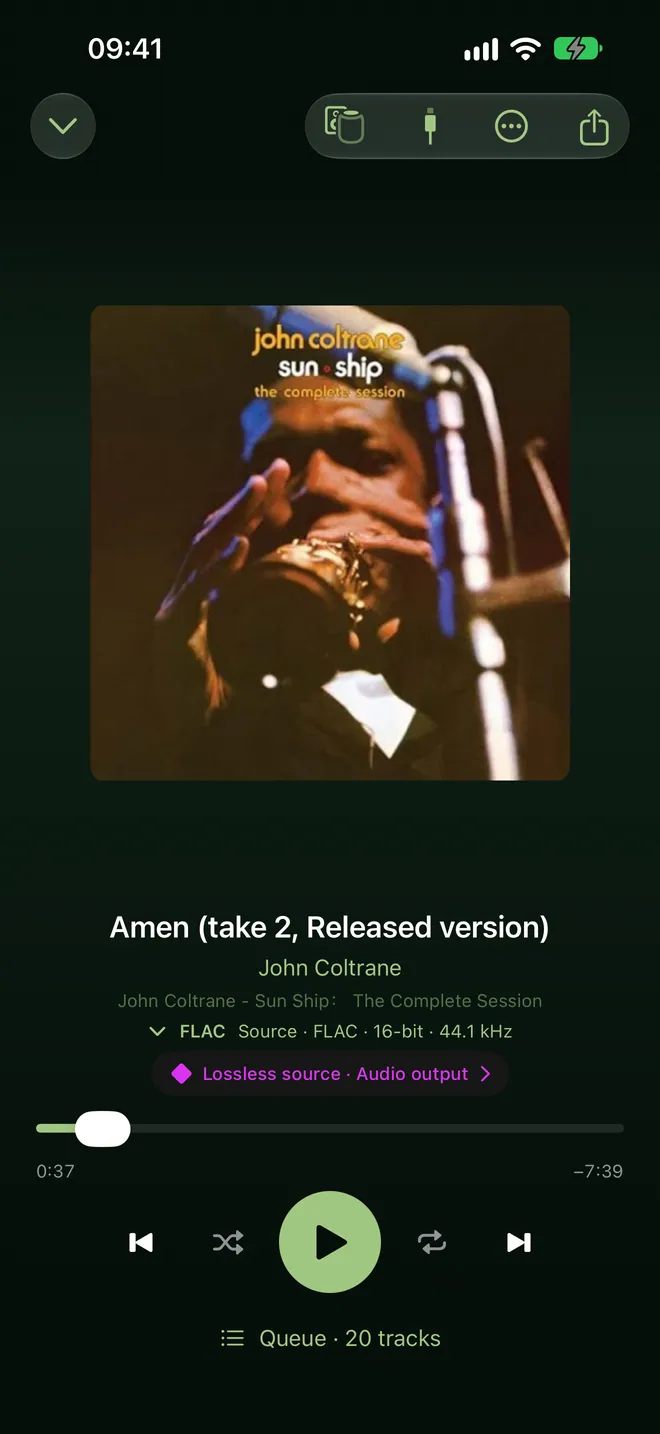
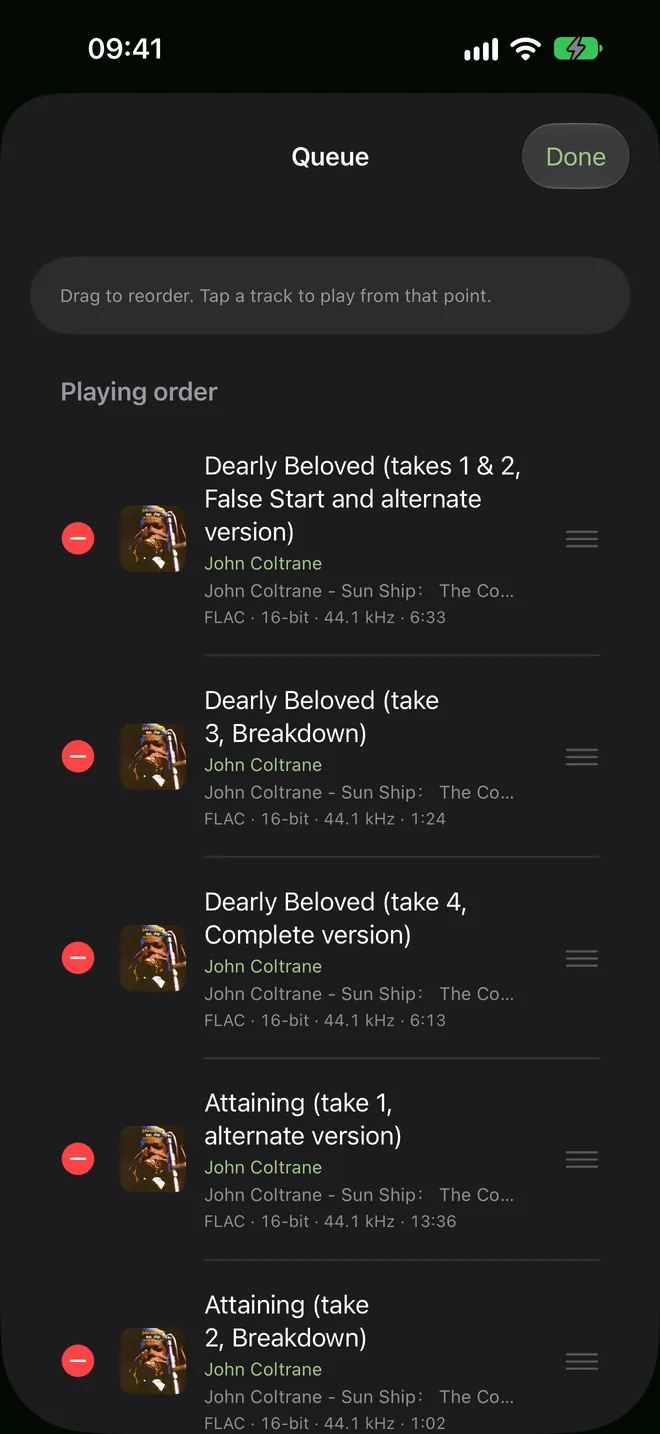
Play, pause, next, shuffle and repeat, with a session queue you can reorder. Queue a whole album with one action. The resume point is a saved position — handy, but not proof the album is downloaded.
A display that suits the record
Show the cover, a blue or warm VU meter, or the RTA. The cover is never covered up by controls.
Original or AAC
Original plays the recording as stored. AAC 256 kbps is a separate, smaller option for constrained networks — a smaller stream is not lossless just because the source was.
Volume, your way
Choose Variable or Fixed for each local output. Fixed hides the app slider; it doesn’t lock iOS or hardware volume, and it doesn’t make playback bit-perfect.
Playlists and smart sets
Your playlists
Make playlists from any album. They are saved on the device you made them on — playlists do not sync between devices yet.
Smart sets
In the Jazz Room: Unplayed Jazz, On Repeat, Verified Hi-Res Jazz, Live in the Title, Trio in the Credits, 10+ Track Albums, Small Tracklists and Explore All Jazz. General presets such as Recently Added are not available.
Lock the screen. Keep listening.
On iPhone and iPad, music keeps playing in the background and shows on the Lock Screen with play, pause and skip. Lock-screen playback over Playhouse Connect in DSD256 has been confirmed by the owner on iPad; DSD256 network playback can still stutter while another app is in the foreground, and that is not yet fixed. Success with one format doesn’t guarantee every hi-res session. On Mac there is no Lock Screen player; use the Now Playing window, media keys and menu commands.
Keep your devices together
Sign in with the same account on iPhone and iPad. Favourites, listening history and resume point sync while you’re connected and retry later if you’re not; your profile photo follows your account into Socialize. A saved position is a suggestion for where to resume — not a remote control for another device.
Downloads and temporary audio
Clearing temporary playback data never deletes the source recordings or albums you downloaded on purpose. Not every format or account supports offline listening.
A card, a minute of music, a way back to the album
Story-sized cards
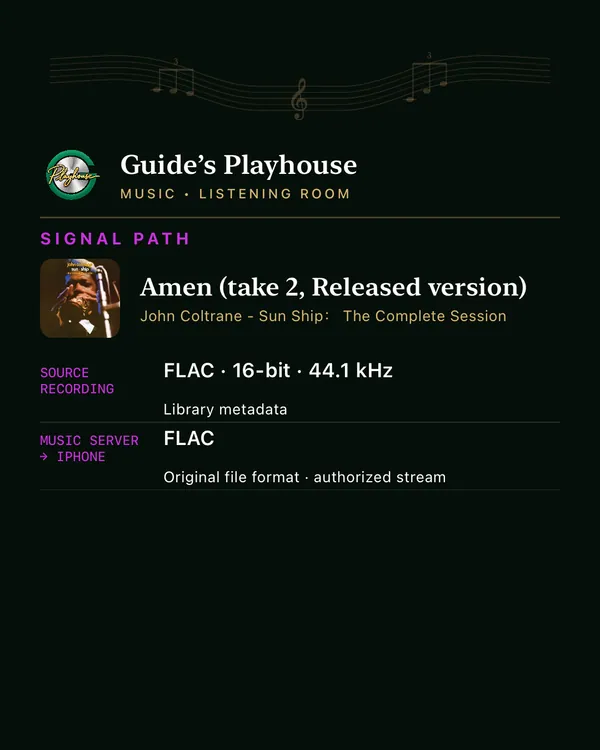
Share an album, Now Playing, Signal Path, your stats or the meters as a 1080 × 1920 portrait card, with about 258 px clear at top and bottom for the Instagram Story interface. Meter cards keep the Signal Path rows, so the picture never loses its context.
With a clip Development build
Add up to 60 seconds of the track as a short video. For Instagram, share the exported video and add the album link with the Link sticker. Nothing is posted automatically.
Good records deserve good company
Socialize is where listeners in the Playhouse share what they’re playing. A post carries the cover and the artist and album — never a storage folder name. Where your account allows, others can open a shared album and add it to their library; posting is not a redistribution of the audio file or a transfer of copyright. Private messages, reporting and blocking are built in.
A little perspective on your listening
Listening Stats shows your day, month and year. A gap can mean you didn’t listen — or that a device hasn’t synced yet. Stats don’t need a written biography, your precise location or an advertising ID.
Playhouse Display
Put what’s playing on a bigger screen: open Playhouse Display in a browser and pair it from the app with a QR code. Keep pairing codes private and revoke them when you’re done. The display shows the music; it is not another audio output.
Open Playhouse Display